
InSiSo Visual Detector™ · App for ctrlX OS
Vision on the controller already in your machine
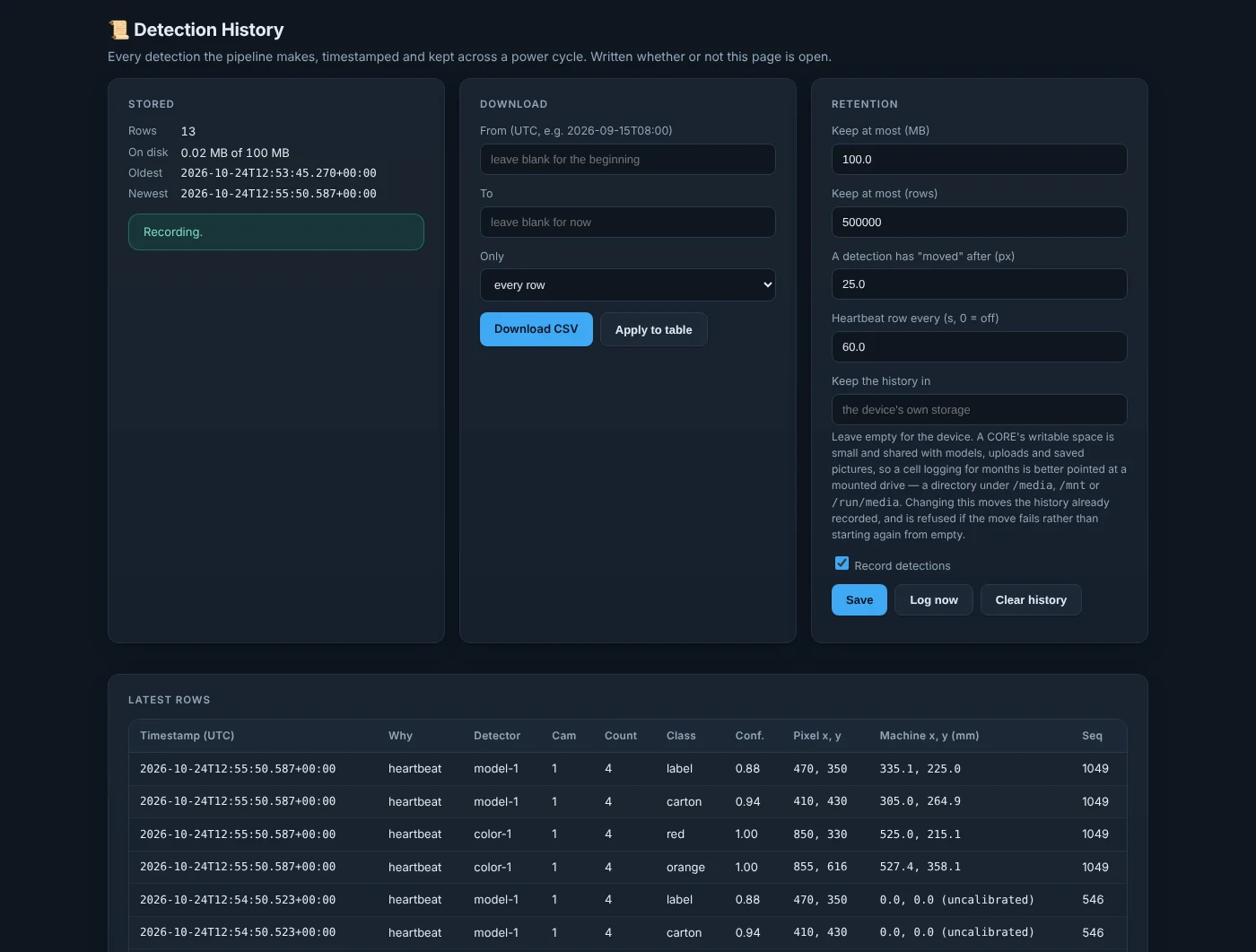
Finds parts by colour or with a model trained in ModelBench, on live cameras, and hands every result to the PLC through the ctrlX Data Layer.
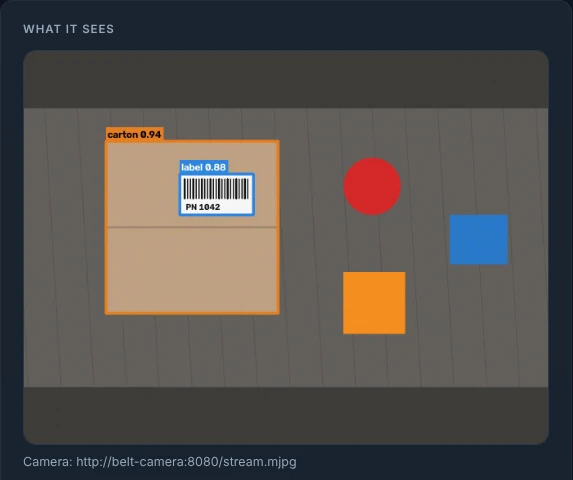
See it working
Watch the walkthrough
What it does
Detect, locate, publish, record
Detects
Coloured parts by colour range, and the objects your ModelBench model was trained on.
Locates
Each object's centre, size and orientation, in pixels or in machine millimetres.
Publishes
Every picture's results to one ctrlX Data Layer folder, tagged with a picture id.
Records
A detection history with CSV export, and saved pictures for retraining.
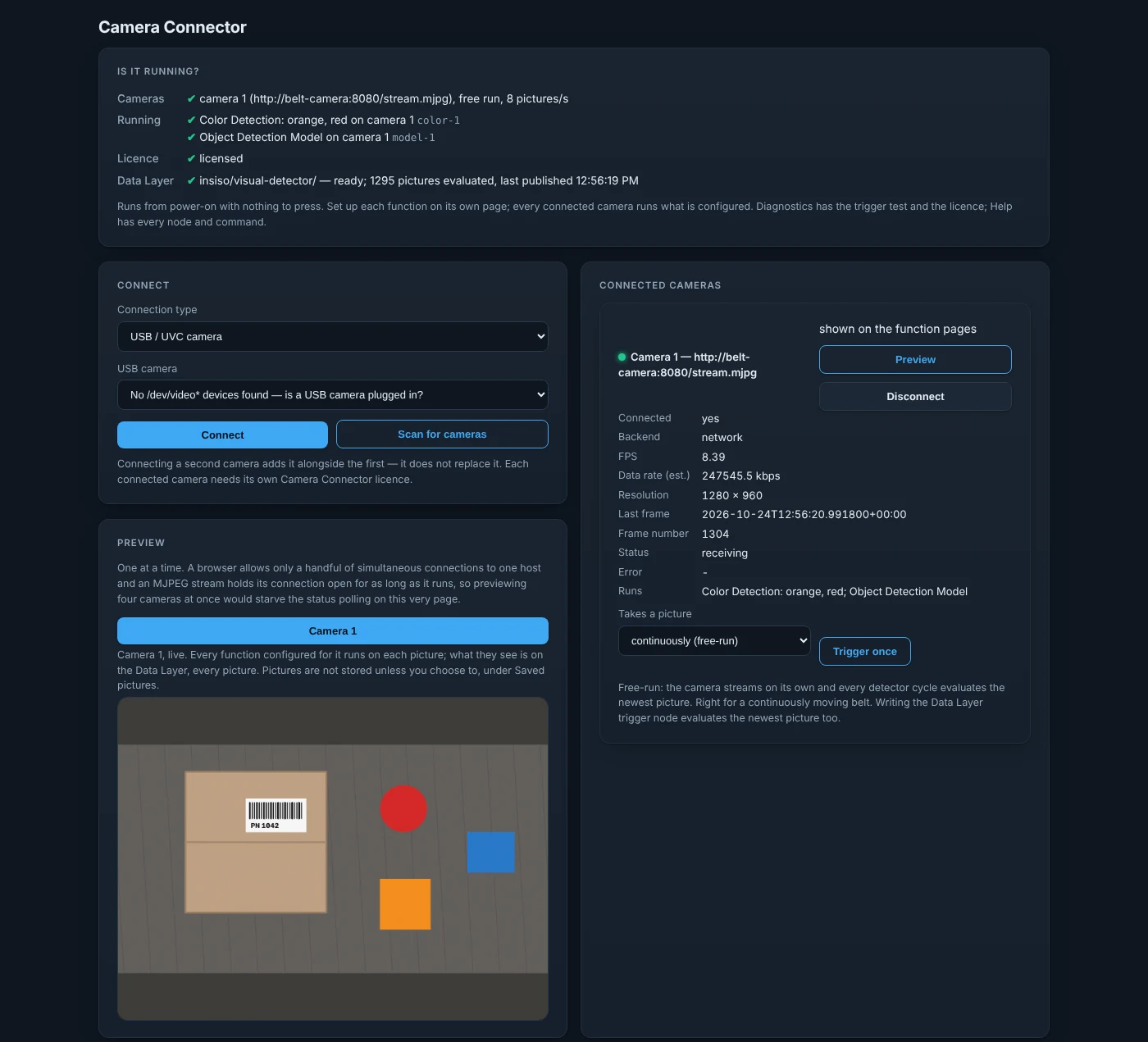
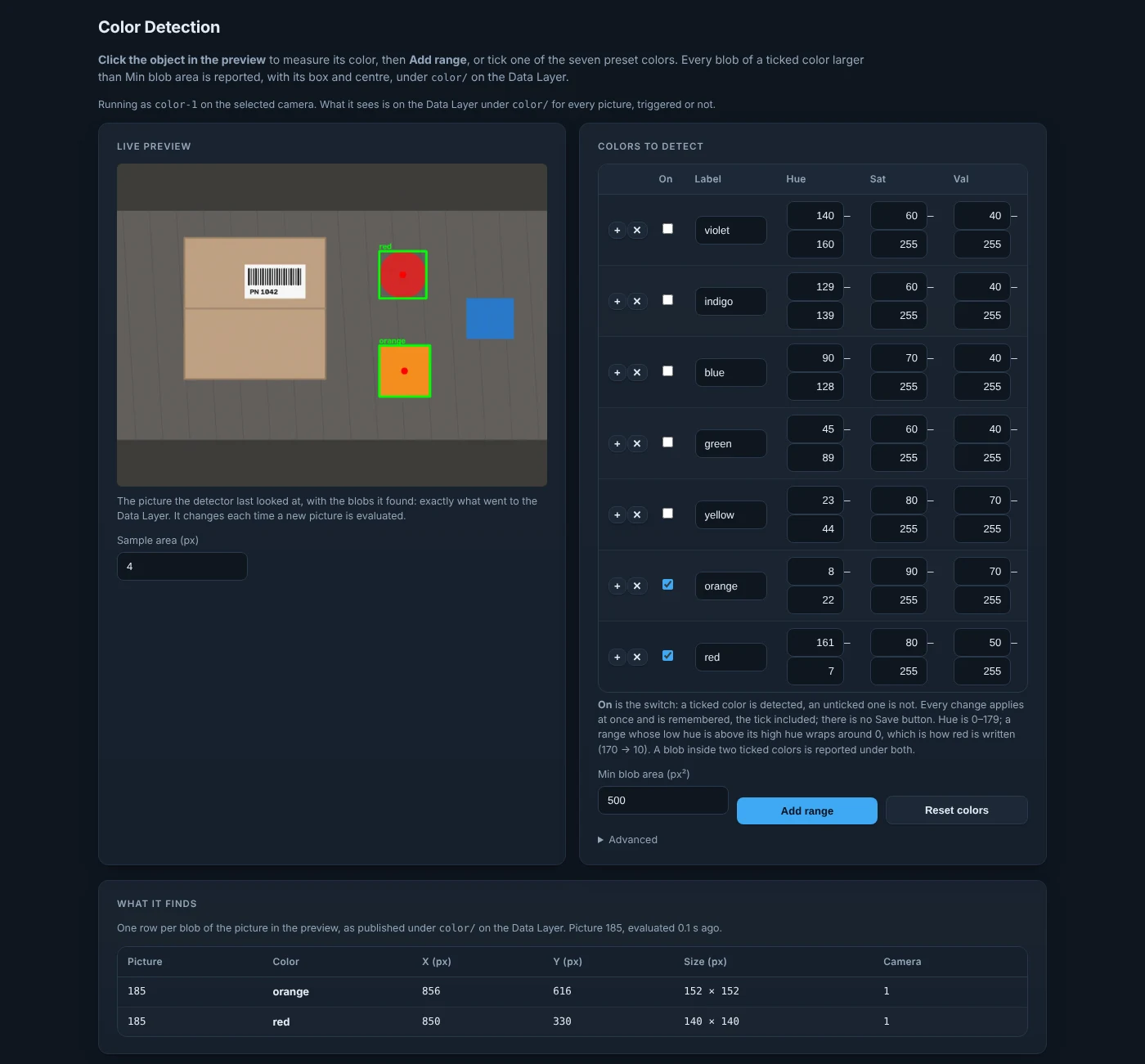
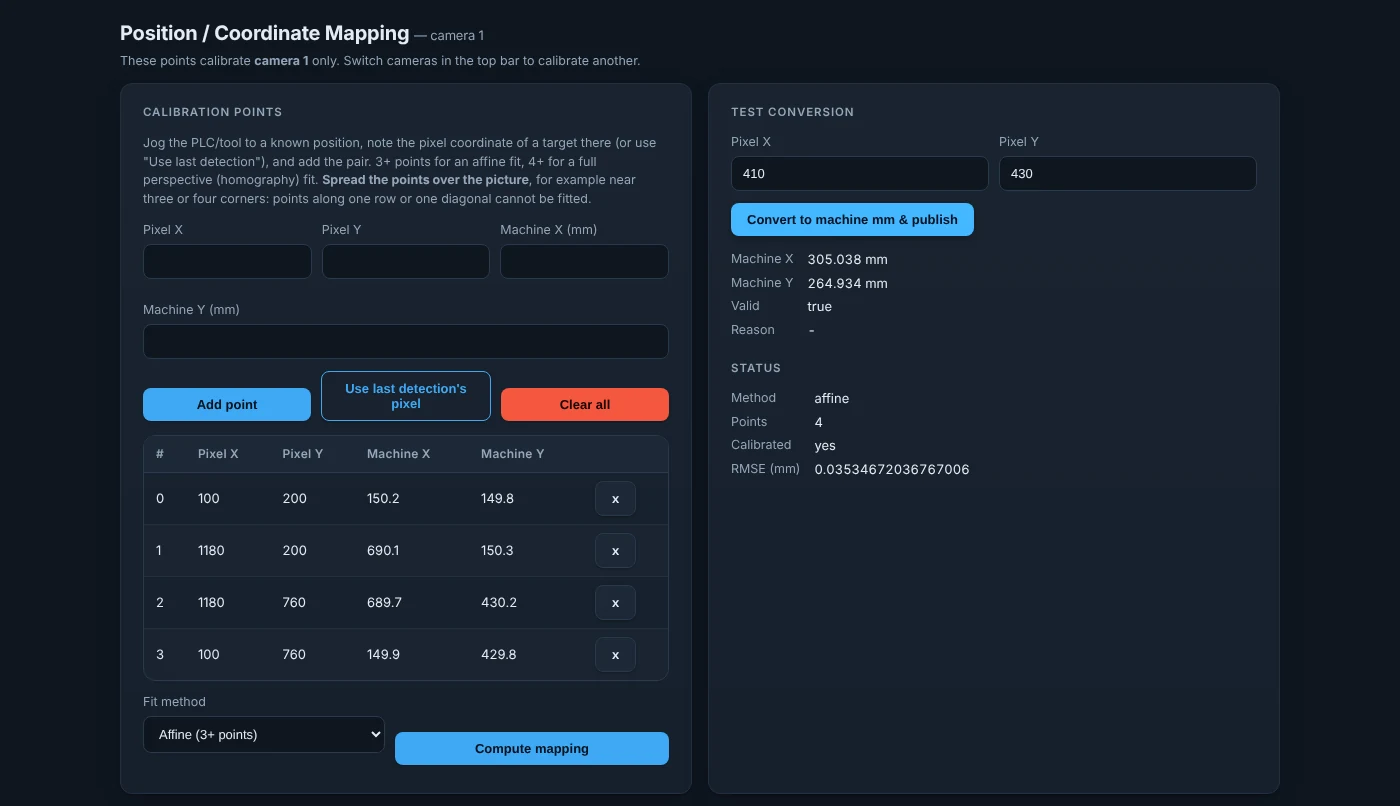
How it fits
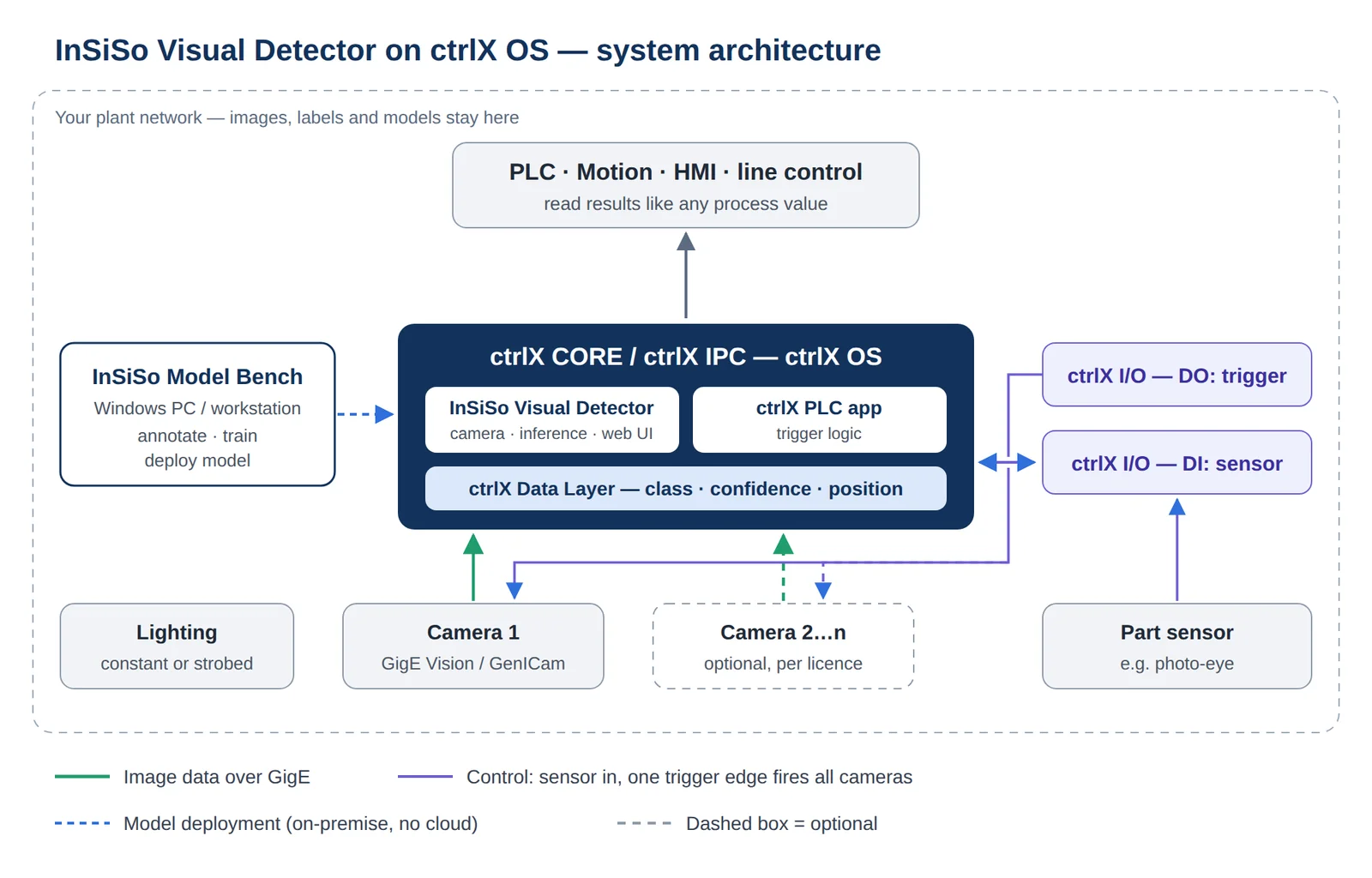
Trained in ModelBench, run on ctrlX, read by the PLC
From the PLC it takes three steps:
- 01
readyWait until the app reports it is ready. - 02
triggerWrite a value to take and evaluate a picture. - 03
object/*Read the results, each carrying the picture id.
Runs on
The hardware the machine already has
Controllers
- ctrlX CORE X3, X5, X7
- ctrlX IPC
- ctrlX OS 4.x
Inference
- CPU (ONNX Runtime)
- Hailo-8 accelerator
- NVIDIA GPU
Cameras
- GigE Vision
- USB
- RTSP / HTTP streams
Each function has its own licence; the Runtime licence is needed for all of them.
Put vision on your next machine
Tell us about the line and the controller. We will show it working on your parts.
Train the model in ModelBench